No cloud pipeline needed for the core highlight transcript workflow.
iPhone & Apple Watch • On-device transcription
Highlight audiobooks.
Annologue makes taking highlights from audiobooks feel as easy as highlighting a Kindle book. Capture spoken passages in one tap, transcribe them on device for privacy and cost, then keep every highlight organized, editable, and ready to export.
- Take highlights from local audiobooks
- Transcribe clips privately on device
- Sync to Readwise or export anywhere
One tap Capture the moment
Save a spoken passage as a real highlight, not just a bookmark.
Private On-device transcript
Speech-to-text stays on your phone, keeping cost and privacy in check.
EPUB-paired highlights Apple Watch Shortcuts & Siri Readwise sync LibriVox downloads Private vault M4B re-export
The core idea
The app is about highlights first.
Annologue is designed around the moment you hear something worth keeping. Everything else — transcripts, chapter context, Readwise sync, and export — builds on that core experience.
01 — Capture
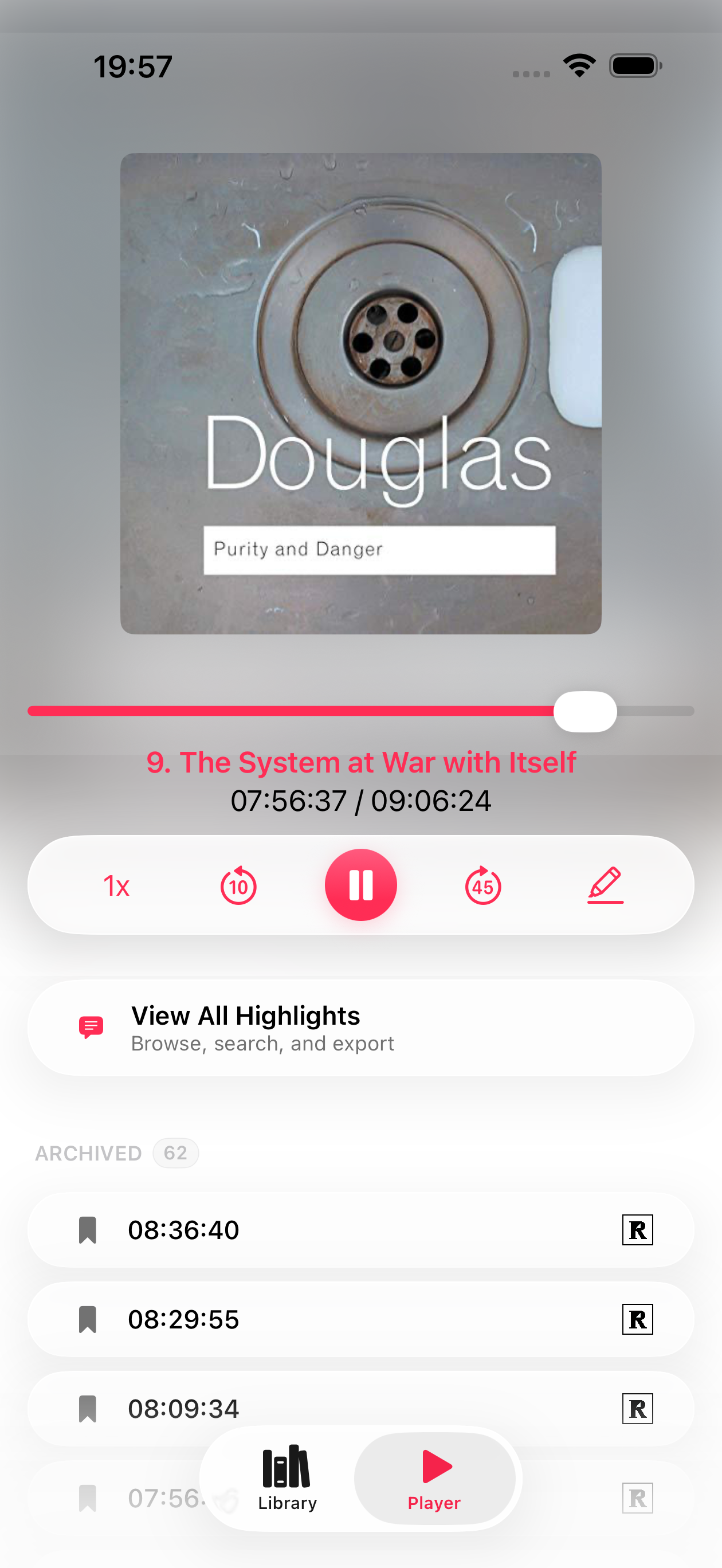
Take highlights from audiobooks as easily as from an ebook.
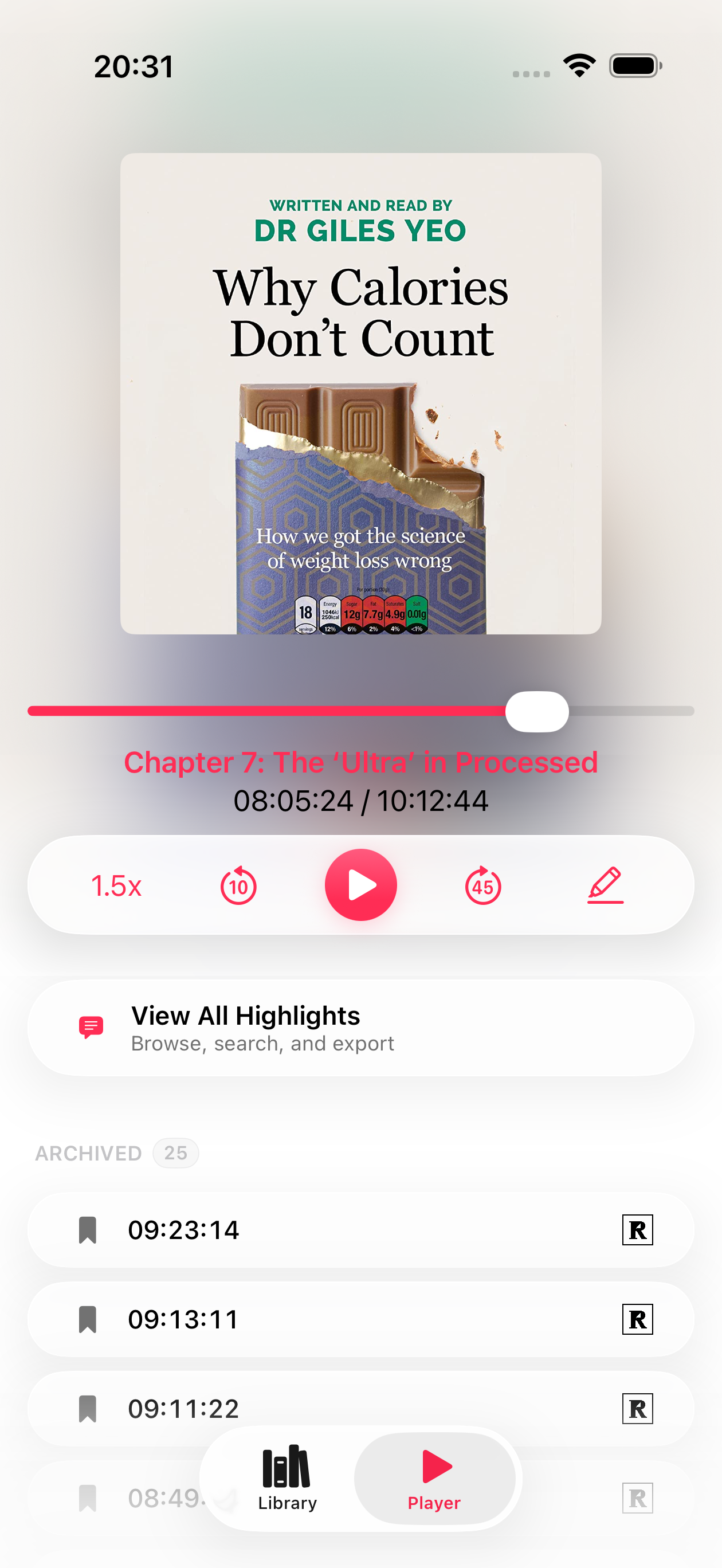
Save a timestamped highlight right from the player, then jump back to it later with the audio, transcript, and chapter context intact.
- Highlight straight from playback
- Revisit fresh and archived highlights
- Jump back to the exact moment in the book
02 — Private transcription Private by default Editable after capture
Speech-to-text handled on device.
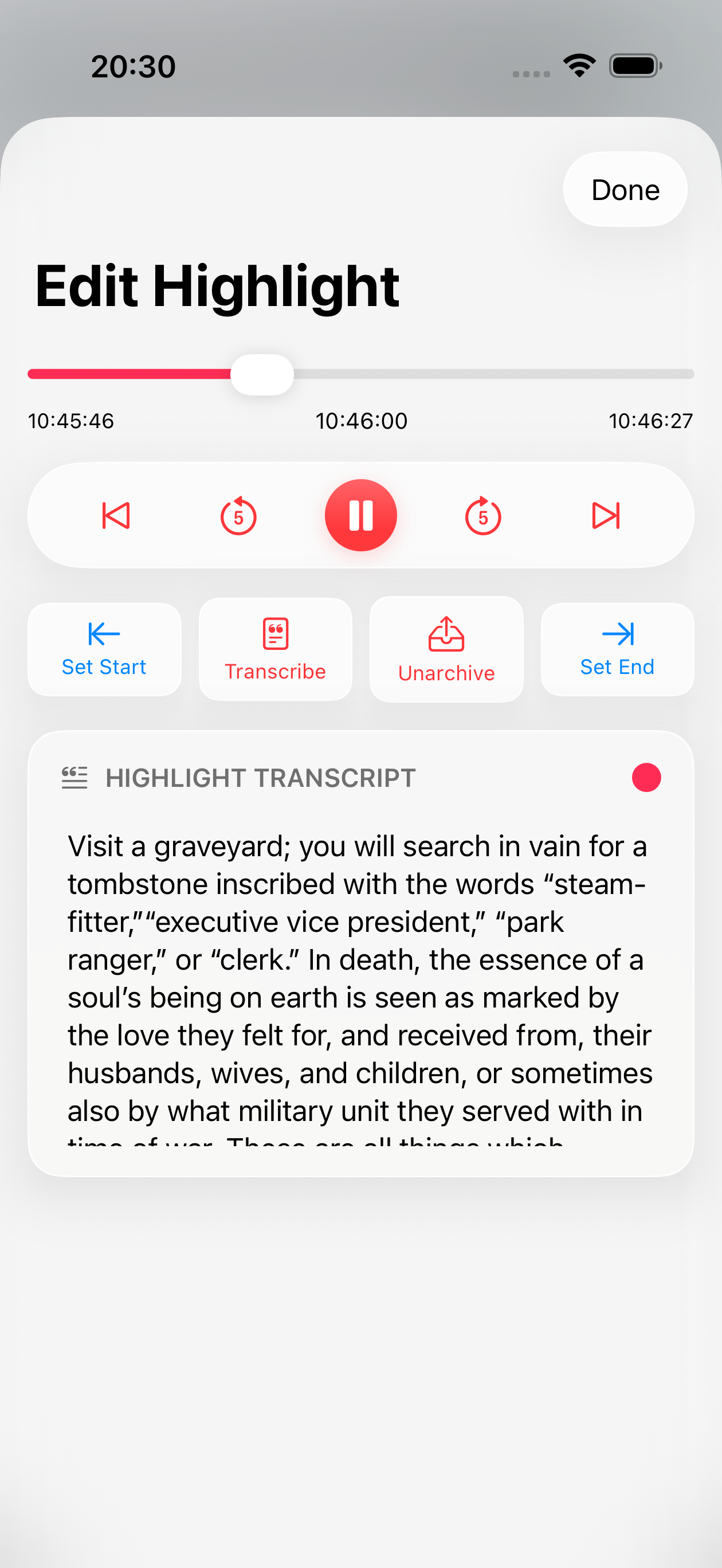
After you capture a passage, Annologue turns it into editable text directly on your iPhone. That keeps the workflow private, keeps the cost down, and makes highlighting feel immediate.
Adjust the boundaries, retrigger transcription, and clean up the text when needed.
EPUB pairing
Anchor your highlight to the exact passage.
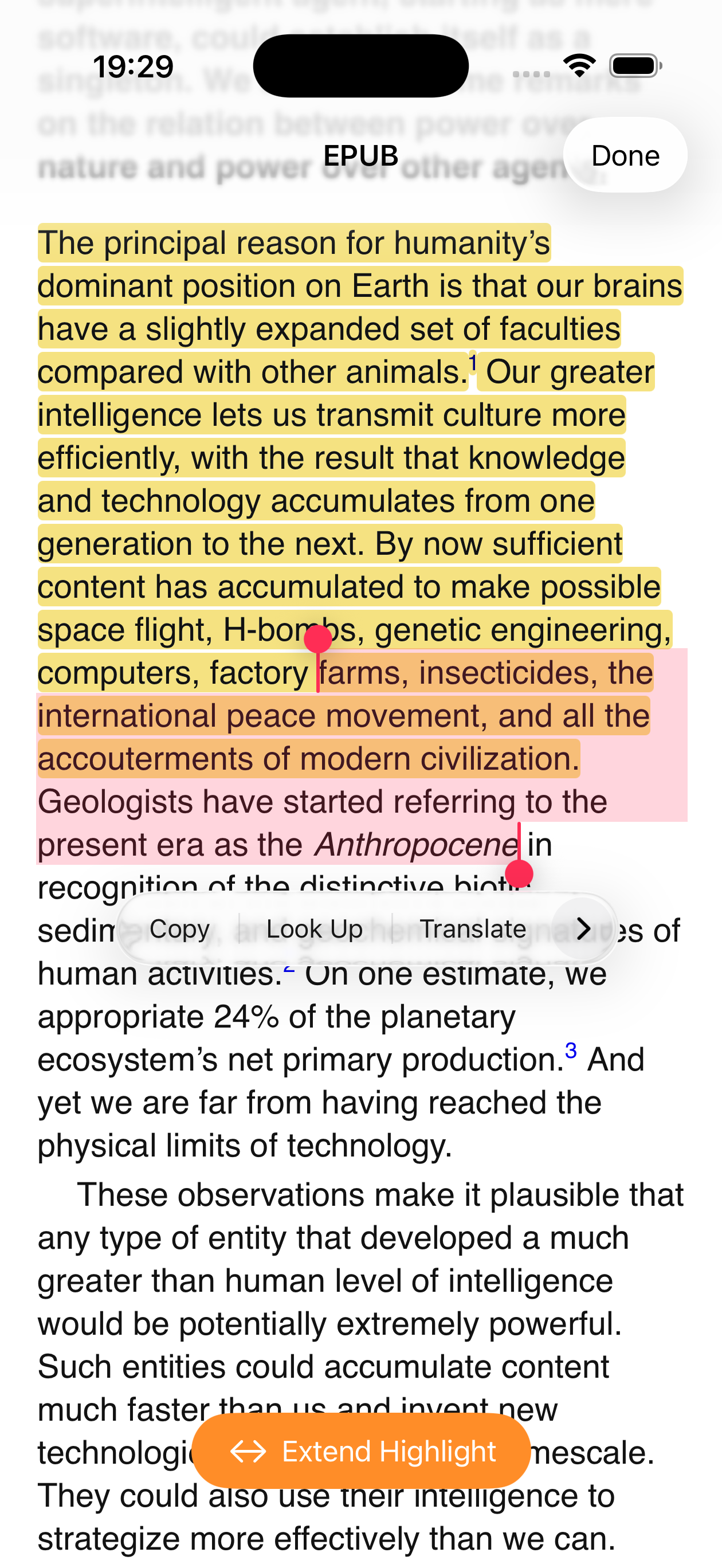
Import a matching EPUB alongside your audiobook and Annologue links the two. After capturing a clip, open the text view to drag the highlight across the full written passage — or start a highlight from selected EPUB text, with the audio position set automatically.
- Extend a clip to cover the complete passage in text
- Start highlights from the EPUB side
- Audio and text stay linked in every saved highlight
03 — Organize
Review highlights in chapter context, then sync them onward.
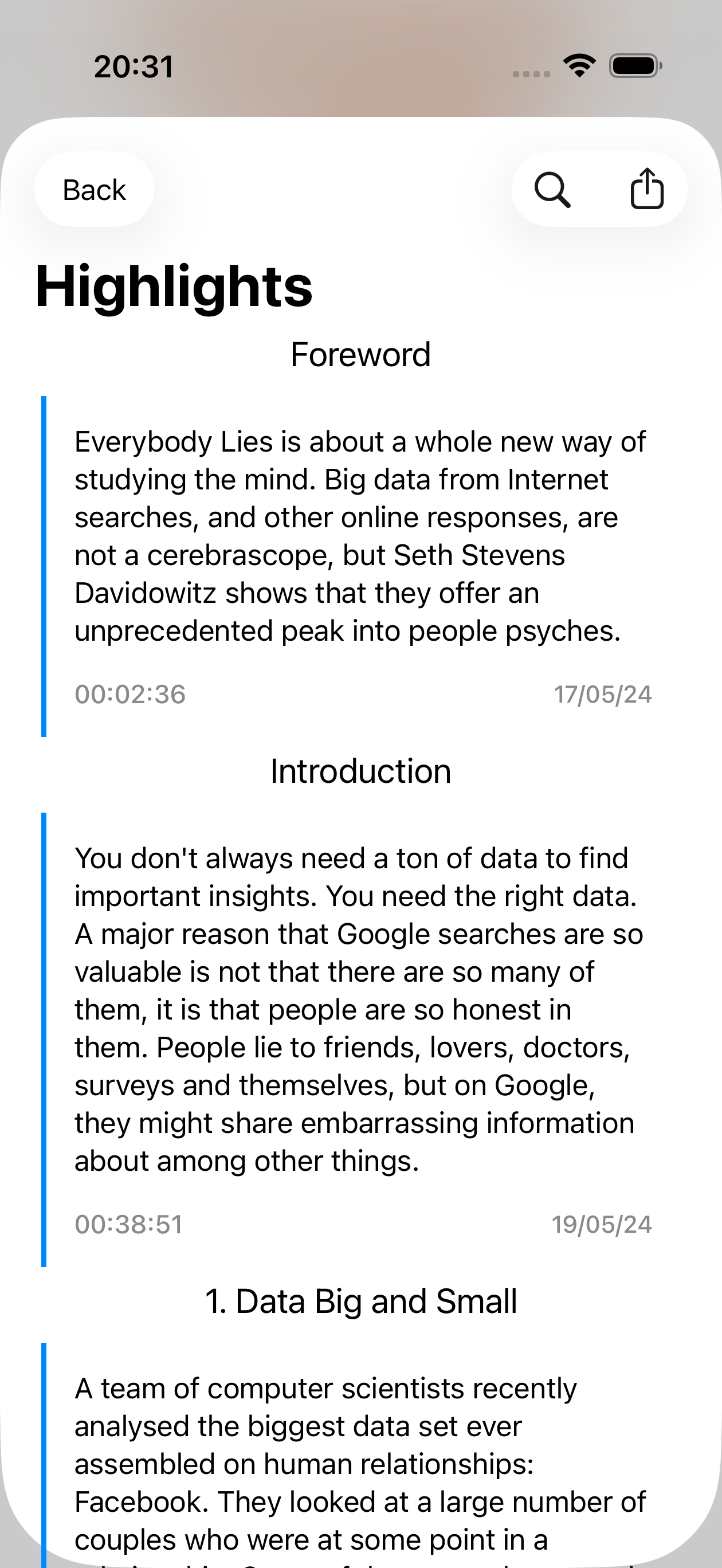
Browse every excerpt by book, chapter, and transcript. Keep a clean archive inside Annologue, then send your best highlights to Readwise or export them for the rest of your workflow.
- Highlights list with fresh and archived states
- Readwise integration for downstream reading workflows
- Export-friendly structure for notes and reference
Vault
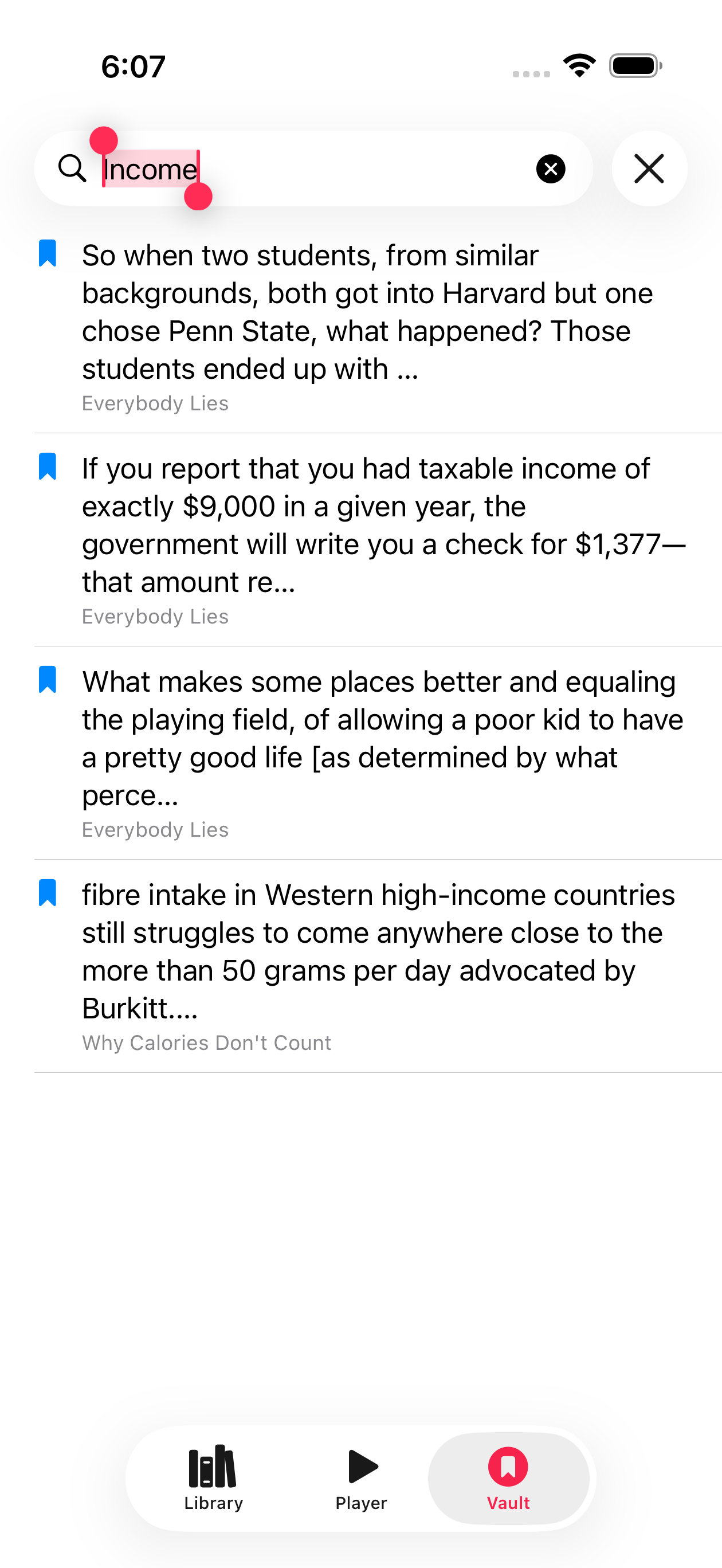
Search every highlight you've ever saved.
All your highlights from every book live in a private, searchable vault. Find any passage by keyword in seconds — on device, with nothing sent to a server.
- Full-text search across your entire highlight library
- Results from every book in one place
- Stays private and on device
How it works
A simple loop built for serious listeners.
Bring in a book
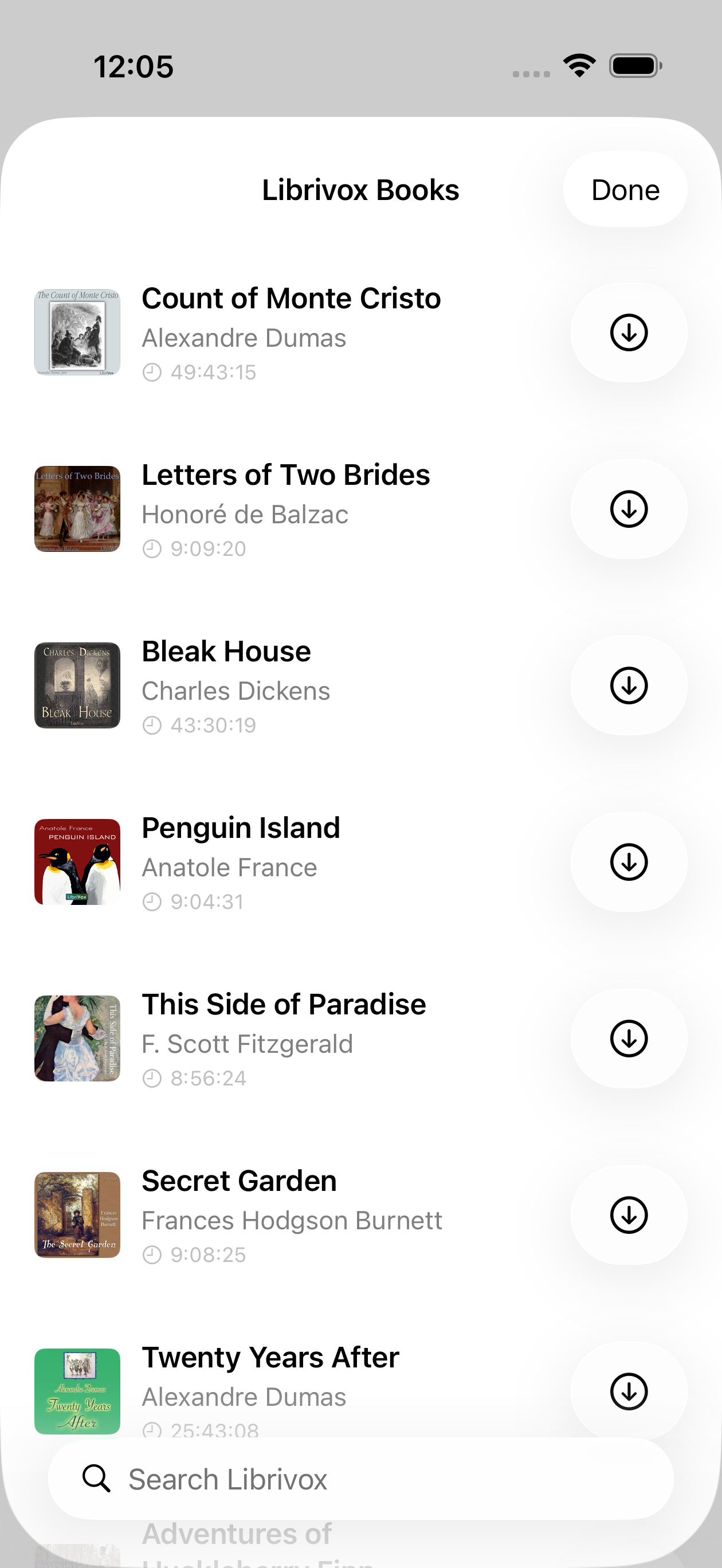
Import your own audiobook files or pull public-domain titles directly from LibriVox without leaving the app.
Highlight what matters
Save the spoken passage, transcribe it on device, and edit the highlight until it reads exactly how you want.
Keep it usable
Review highlights later, sync selected ones to Readwise, or export your book and notes in clean, portable formats.
04 — Discover Built-in search Library-ready import
Download straight from LibriVox.
Bring public-domain audiobooks into your library without hunting around in browsers and folders. Annologue makes discovery feel native to the app, not bolted on.
Find free public-domain titles from inside the app.
Move from discovery to listening and highlighting in one flow.
05 — Refine
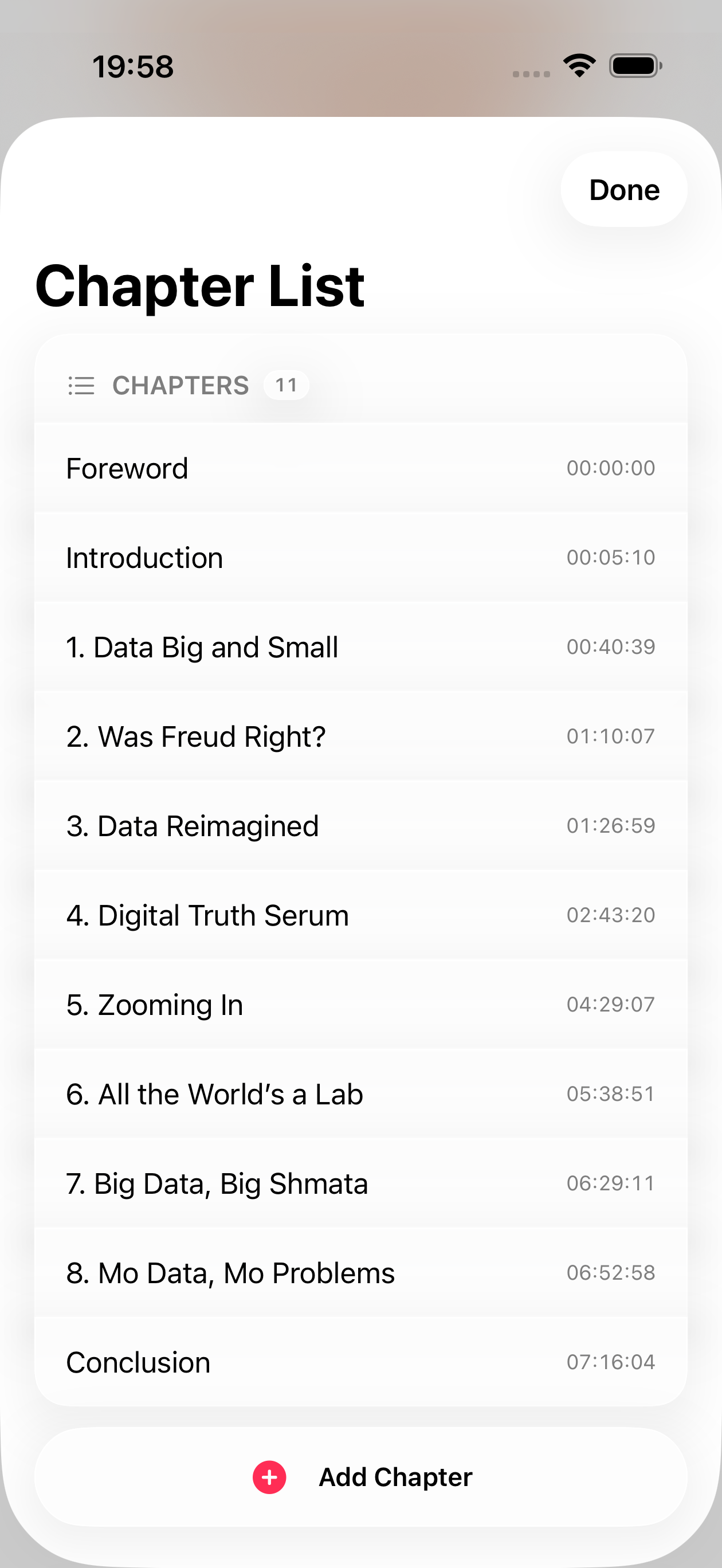
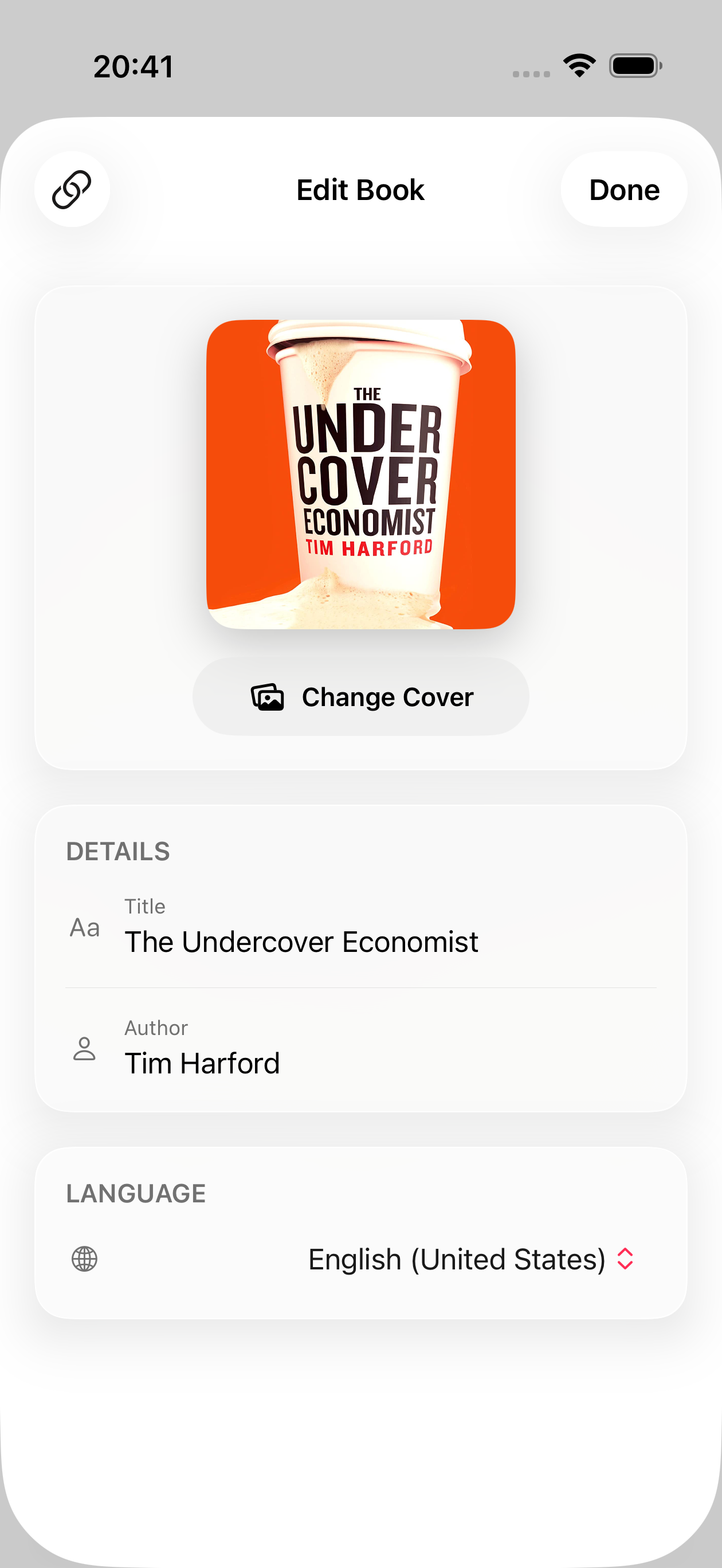
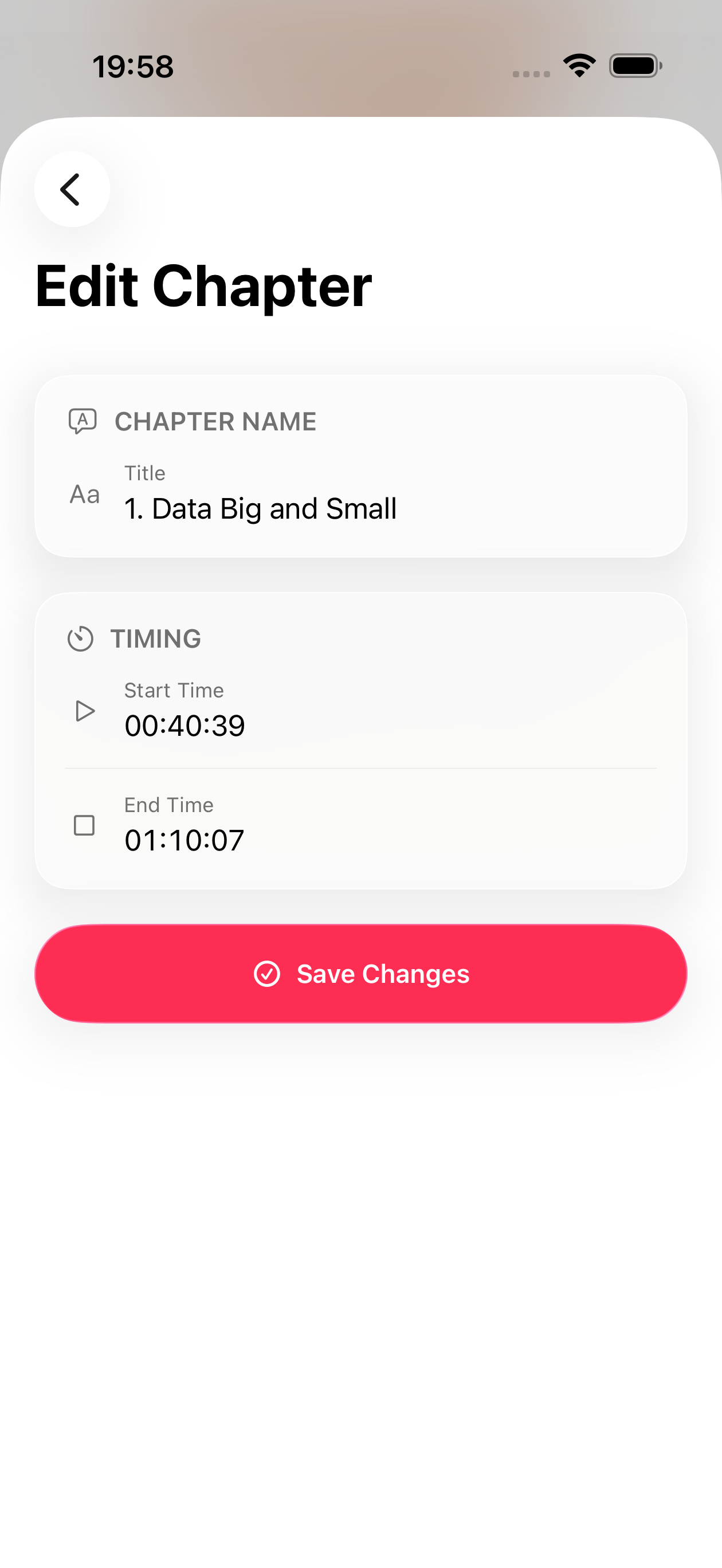
Edit chapter marks, metadata, and artwork — then re-export as M4B.
Annologue is not only for consuming audiobooks. Clean up the book itself: fix chapter boundaries, update metadata, swap the cover, and produce a tidier audiobook file for long-term use.
- Adjust or add chapter marks
- Update title, author, and cover artwork
- Re-export as an audiobook-friendly M4B file
Apple Watch
Capture from your wrist.
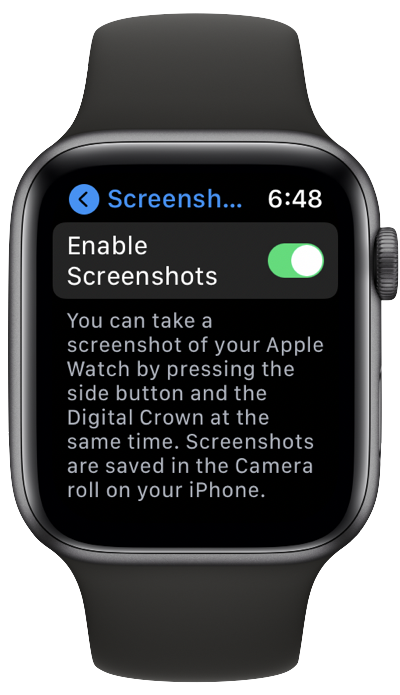
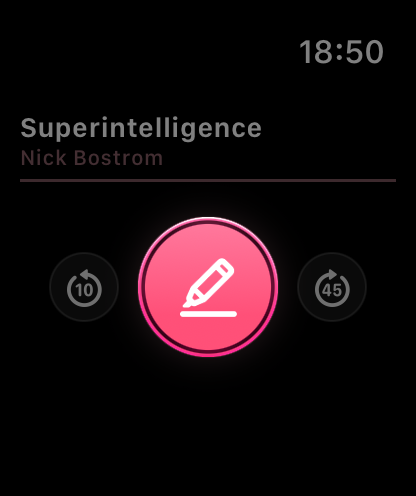
The Annologue Watch app puts a highlight button on your wrist. Tap it to flag a passage without breaking your stride — the clip is captured on the iPhone, and the transcript is ready when you come back to it.
- One tap to capture a highlight from Apple Watch
- Current book and chapter shown at a glance
- iPhone handles transcription automatically
Shortcuts & Siri
Automate your highlight workflow.
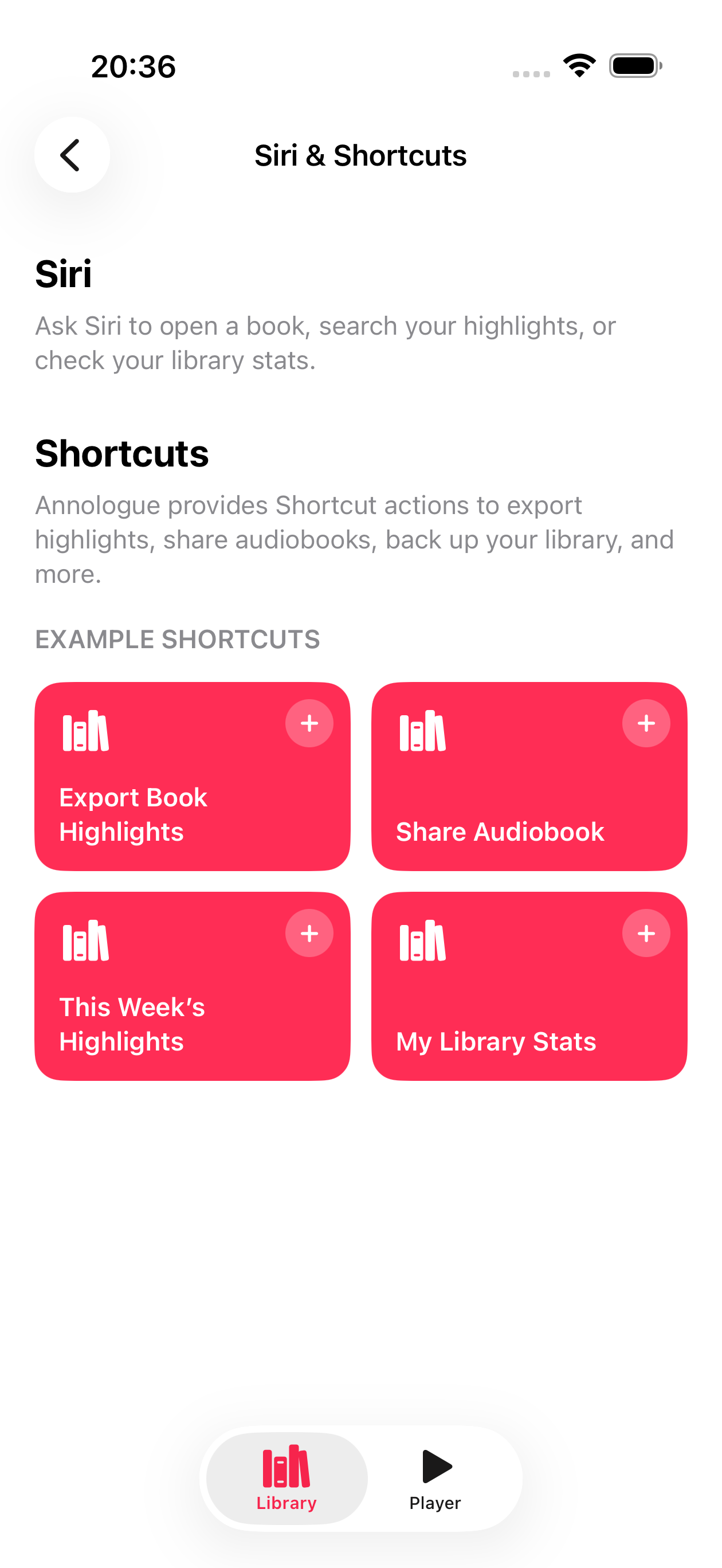
Annologue exposes its key actions to Apple Shortcuts. Build routines to export highlights, share books, or back up your library — and trigger any of them by voice with Siri.
- Export highlights to any destination
- Share and back up your audiobook library
- Siri voice commands for hands-free control
On-device speech-to-text for the highlight workflow.
Highlights and books stay useful outside the app.
From wrist capture to full review, the whole workflow stays on your Apple devices.
FAQ
Common questions.
What makes Annologue different from a normal audiobook player?
The core product is audiobook highlighting. Playback is there to support that workflow: hear something worth keeping, save it, turn it into text, and keep the highlight useful later.
Does transcription send my audio anywhere?
No. Transcription runs entirely on your device using Apple's on-device speech models. Your audio never leaves your iPhone.
How do I get my highlights out of Annologue?
Connect your Readwise account to sync highlights directly, or export them as text for use in any notes app.
What Shortcuts actions does Annologue support?
You can export highlights, share audiobook files, back up your library, and check listening stats. Siri can trigger these hands-free — for example "Take a highlight" or "Export my highlights."
Ready to keep what you hear?
Make audiobook highlights feel natural.
Annologue is now available on the App Store.