
Excerpt can transcribe highlights in dozens of languages, and in up to 95 with the large Whisper models. To use a book that is not in English, set the language the narrator speaks and choose a transcription model that supports it. Highlights, ebook matching, and Read Along then work in the same way as they do for English language books.
Set the book’s language
- In Library, swipe right on the book and tap Edit.
- Under Language, open Book Language and choose the language the narrator speaks.
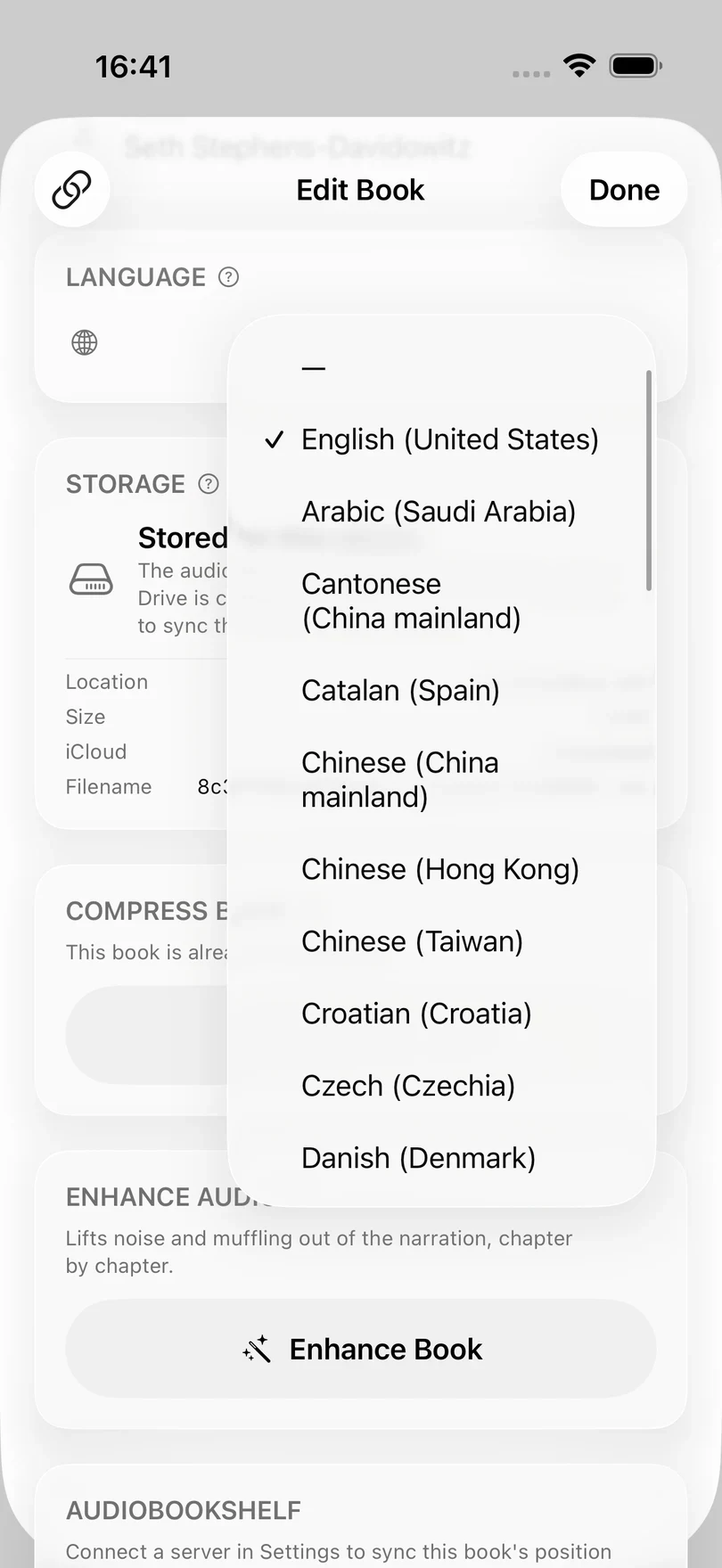
If the wrong language is set, the transcription of every highlight in the book will be less accurate. — means that no language has been set, in which case Excerpt treats the book as English.
The menu lists the languages and regional variants that Apple’s speech recognition offers on your device, more than 50 at the time of writing, whichever transcription model you have chosen. If the narrator’s language is not in the menu, it cannot be set yet, even with a large Whisper model.
Choose a model that supports the language
Not every transcription model supports every language:
- Apple Speech works with every language that Apple’s speech recognition supports.
- large-distil, large, and large-turbo support 95 languages, and need Excerpt Premium.
- base.en and small.en are quicker than both of the above but only work for English.
If an English-only model is selected, Excerpt warns you when you open a book in another language. The book still plays, but its highlights are not transcribed until you switch to another model in Settings › Transcription. If a highlight was not transcribed because of this, switch model and then tap Transcribe on that highlight. Choose a Transcription Model compares the models.
Add the multilingual aligner
Matching an ebook that is not in English needs one extra download. The first time you link an ebook in another language, open Read Along for it, or time one of its highlights, Excerpt asks:
Download Multilingual Aligner? This is a 229 MB download that is only needed once.
Tap Download and keep Excerpt open until it has finished. If you cancel the download, or it fails, while you are linking an ebook, the ebook is not linked, so add it again (once you are back online, if it failed). See Align an EPUB with Your Audiobook.
Aligning an ebook that is not in English takes significantly longer, because the model it uses is much larger. Excerpt tells you once with Read-Along Will Take Longer.