
Excerpt can send your highlights to Readwise automatically when you archive them. This is optional, and it uses the Readwise access token that you provide.
Enable Readwise Integration
- Open Settings in Excerpt.
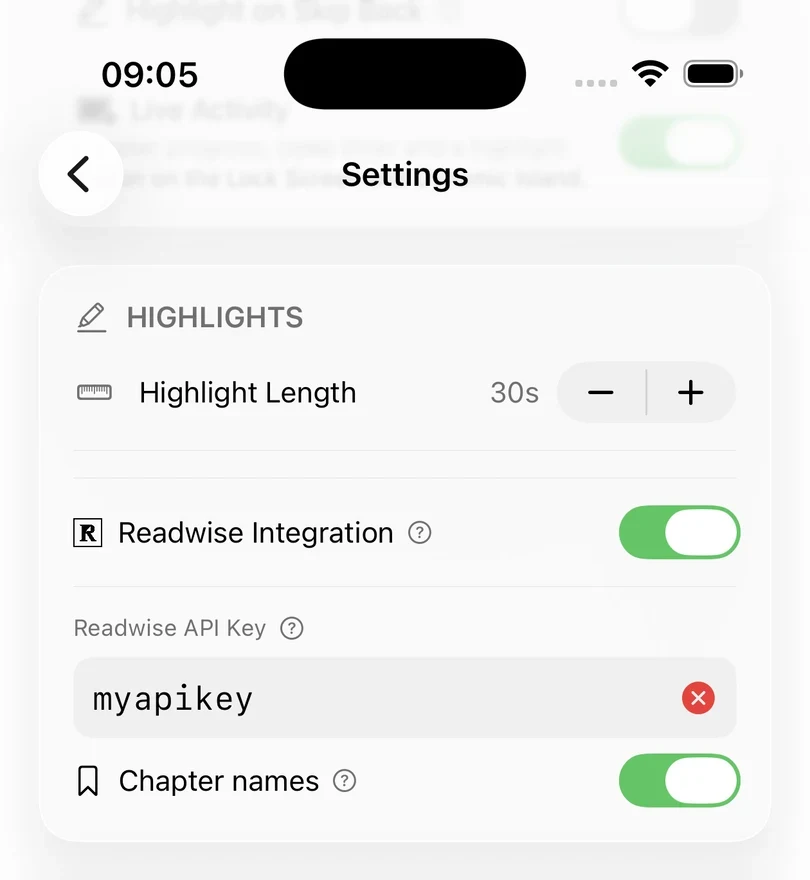
- Under Highlights, turn on Readwise Integration.
- Open the Readwise access-token page, copy your token, and paste it into the Readwise API Key field in the app.
Excerpt stores the token in the keychain of the device, and never asks for your Readwise password.
Excerpt checks the key after you’ve entered it and closed the keyboard. A green tick means its a valid Readwise API key. A red cross means the key is wrong, so copy it again from the access-token page. An orange Wi‑Fi warning means Excerpt could not reach Readwise servers.
Send an archived highlight
Once the integration is on and a valid token is saved, archiving a highlight sends it to Readwise automatically. Trim and correct a highlight first, then archive it, and that finished version is what Readwise receives. The Readwise entry includes the highlight text, the book title, the author, and a link that opens the highlight in Excerpt.
Excerpt shows the Readwise status of each highlight, so you can tell which ones have already been sent.
Add chapter names
Turn on Chapter names in the Readwise settings if you also want chapters sent to Readwise. Excerpt sends a separate entry for a chapter when the first highlight of a chapter is archived with the chapter start position, which gives your Readwise highlights chapter marks for grouping highlights.
When a highlight changes
If you edit a highlight that has already been sent to Readwise, Excerpt marks it as needing an update, and the next time you save or archive it Excerpt offers to update Readwise with your changes. If the request fails, the highlight in Excerpt is not affected and you can try again once you have checked your connection and token.
Changing a chapter name will also offer to update its chapter marker in Readwise.
Turn it off
Turn off Readwise Integration to stop highlights being sent automatically. The entries that are already in Readwise are not deleted, as the setting only affects future highlights.