Excerpt is free to use, with no limit on the number of books, highlights, exports, or automations. Excerpt Premium is an optional subscription, currently $12.99 a year, that lets you link an ebook to every one of your audiobooks, so your highlights use the author’s exact words, and adds more accurate transcription for the books that have no ebook.
The author’s exact words, in every book
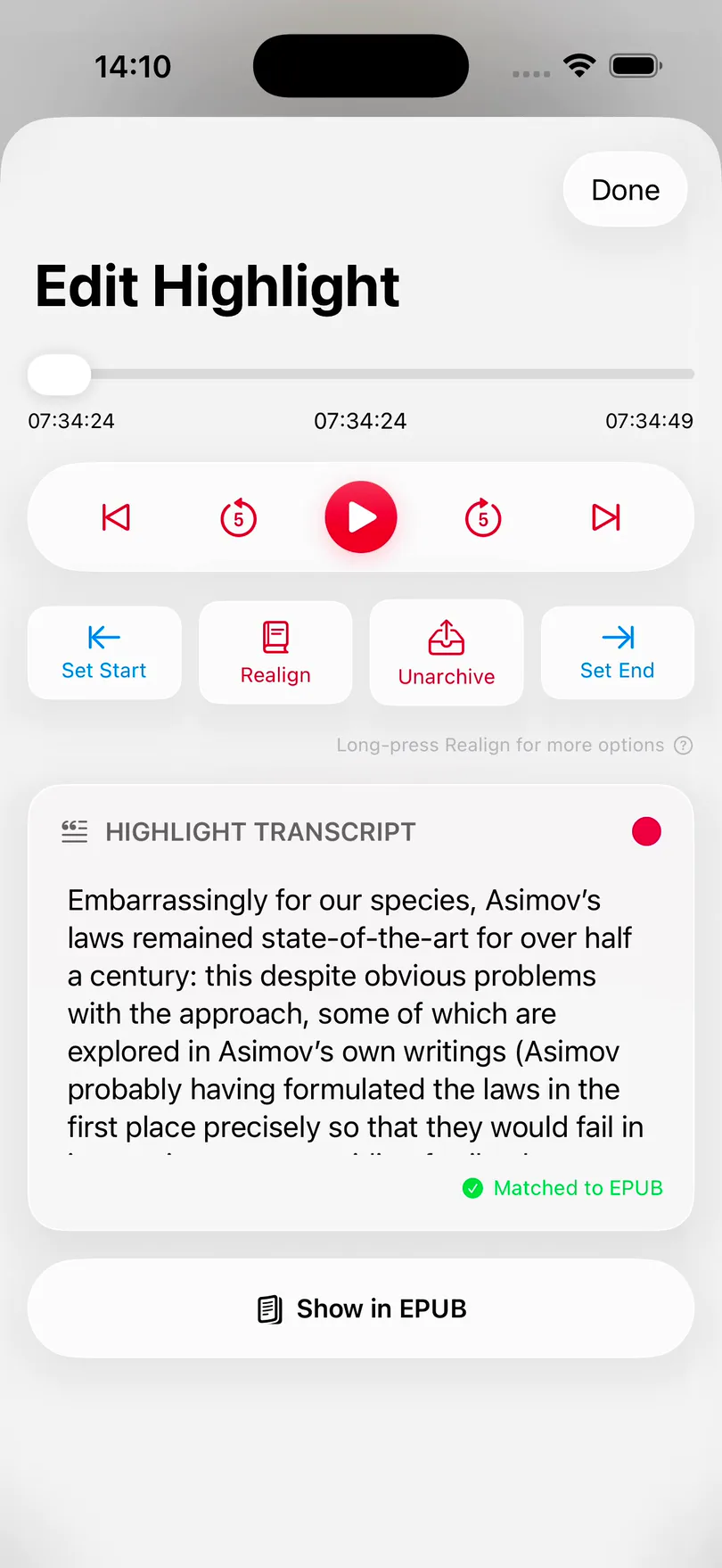
When an audiobook is linked to its ebook, Excerpt replaces the transcript of each highlight with the same passage from the book. In this highlight the transcription got a name wrong:
Transcribed
“Embarrassingly for our species as a moth laws remain state-of-the-art…”
From the ebook
“Embarrassingly for our species, Asimov’s laws remained state-of-the-art…”
A linked ebook also lets you read along while the audiobook plays, and create an audio highlight by selecting text on the page. See Read Along with an Audiobook.
Without Premium you can link one book of your own, and every book from LibriVox. With Premium you can link every book.
Try it on one of your own books first
You do not need to subscribe to find out whether this works with your books. Your first ebook match is free, and this is how it is counted:
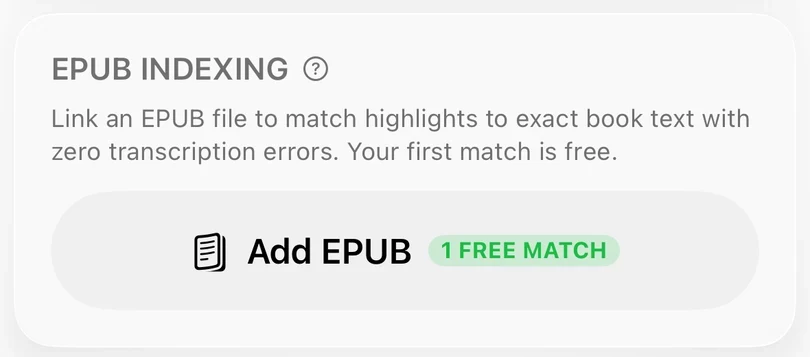
- The EPUB section of Edit Book shows 1 FREE MATCH until you have used it.
- It is only used up by a successful match. Cancelling the file picker, or adding an epub that fails to index, does not use it.
- Replacing the ebook of a book that already has one is always free.
- Books imported via the Search LibriVox sheet never use up the free match.
See Align an EPUB with Your Audiobook for the steps.
Whisper transcription, for books with no ebook
Not every audiobook has an epub that you can get hold of, and for those a highlight is only as good as the transcription model. Free transcription uses the built-in Apple Speech. Premium adds the Whisper models, which also run on your device and get more of the words and the punctuation right.
The figures below are from the benchmark measured on 100 real highlights from a dozen books. The large models are usually slower, but the large-turbo model is optimized for speed even with its large size, and all Whisper models are tuned for the Apple Neural Engine for efficiency.
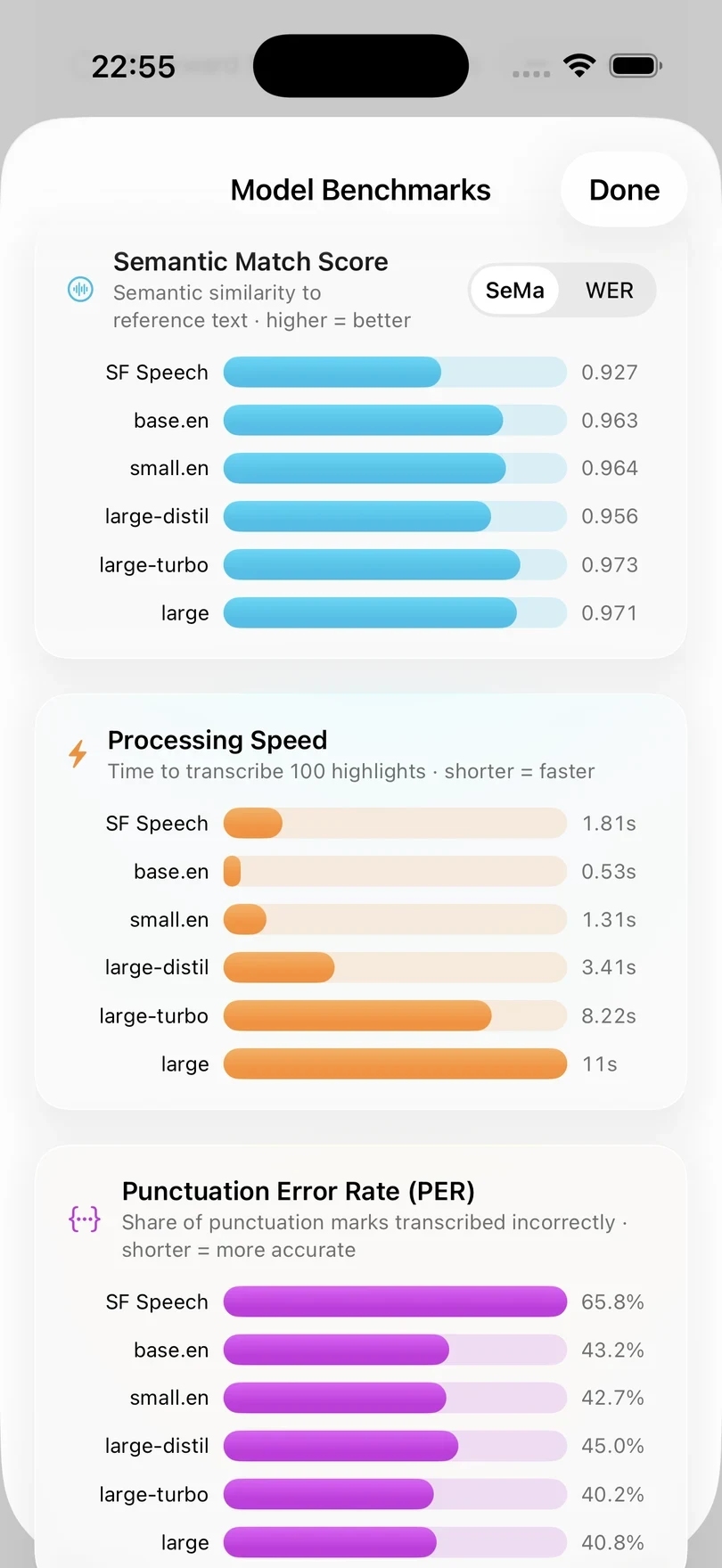
base.en and small.en only understand English, and the large models understand 95 languages. See Choose a Transcription Model for how to pick one.
| Model | Words wrong | Punctuation wrong | Time per 100 |
|---|---|---|---|
| Apple Speech (free) | 6.7% | 65.8% | 1.81 s |
| base.en | 4.3% | 43.2% | 0.53 s |
| large-turbo | 3.6% | 40.2% | 8.22 s |
AI clean-up of transcriptions
AI Post-Processing uses Apple Intelligence on your device to fix homophones, punctuation, and names in a transcription. It needs a device that supports Apple Intelligence, and it is only used for highlights that are not matched to an ebook, as a matched highlight already uses the wording from the book. It helps the most with Apple Speech, as the large Whisper models rarely need it.
Free and Premium side by side
| Free | Premium | |
|---|---|---|
| Transcription | Apple Speech | Whisper models, including the large ones |
| Ebook matching | One book, plus every LibriVox book | Every book |
| AI Post-Processing | Not included | Fixes homophones, punctuation, and names with Apple Intelligence |
Everything else is free
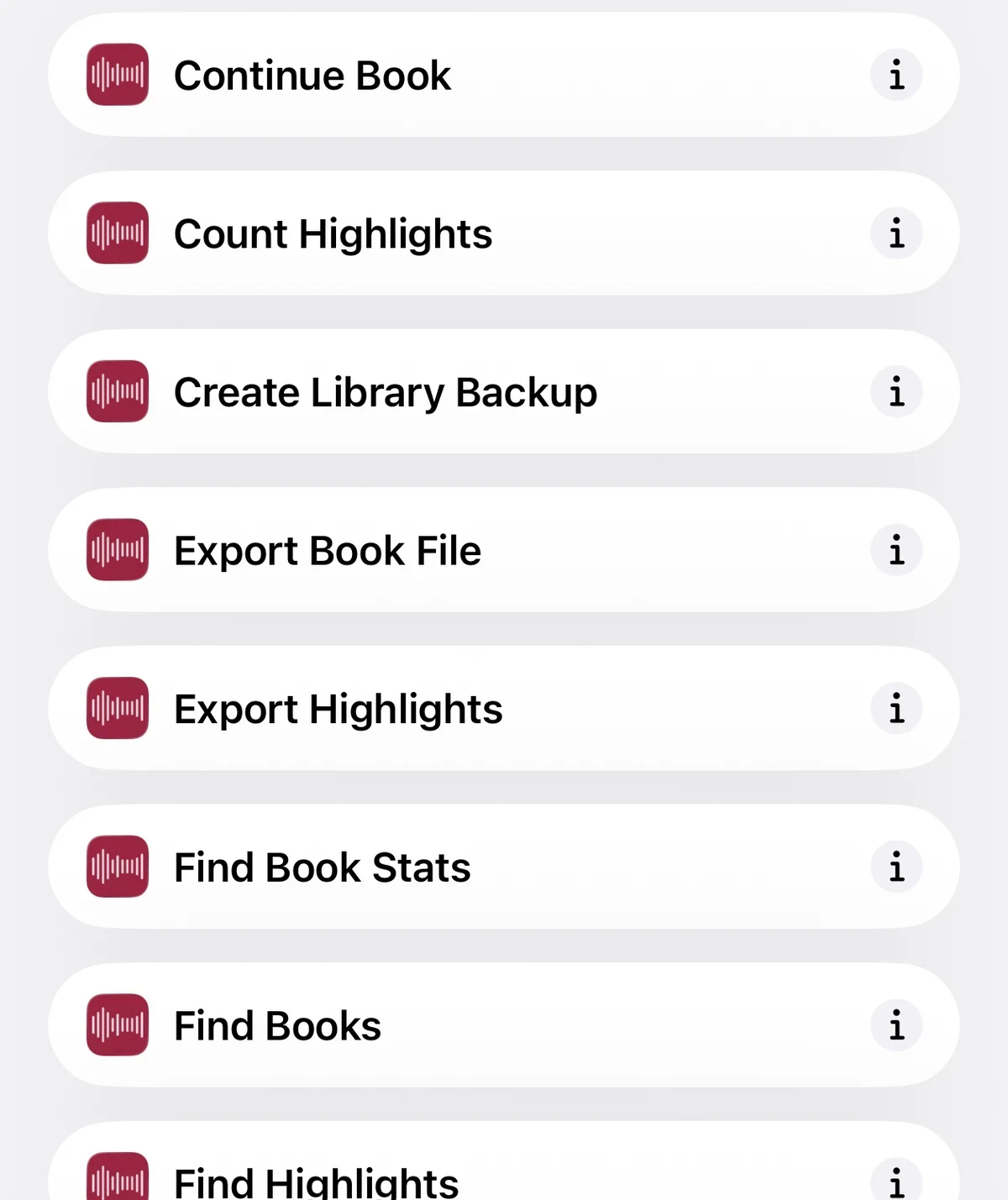
None of the following needs a subscription, and none of it has a limit on how much you use it. This includes all of the automation.
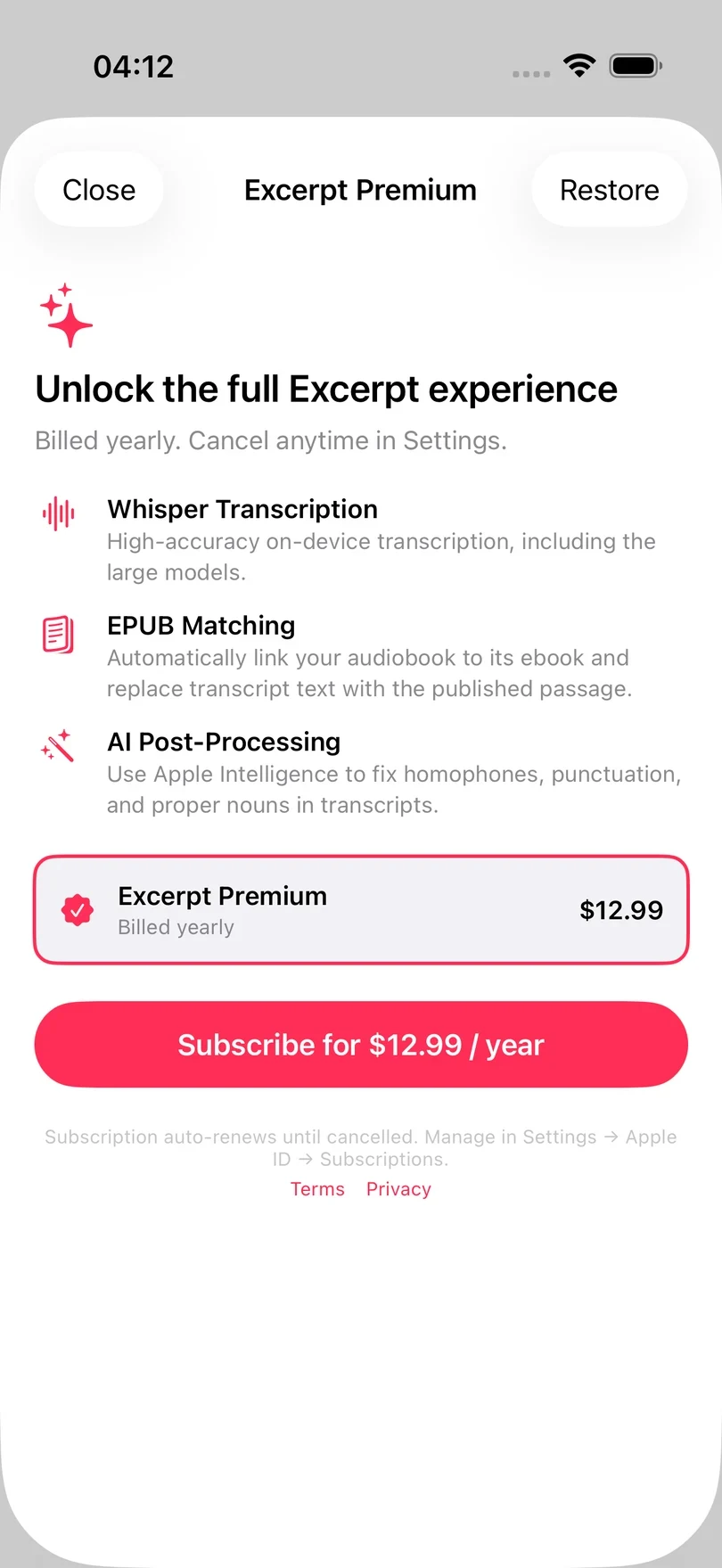
Subscribe
Premium is a single yearly subscription, priced in the currency of your App Store account currently set at early bird pricing of $12.99. There is no account to create, as the subscription belongs to your Apple Account.
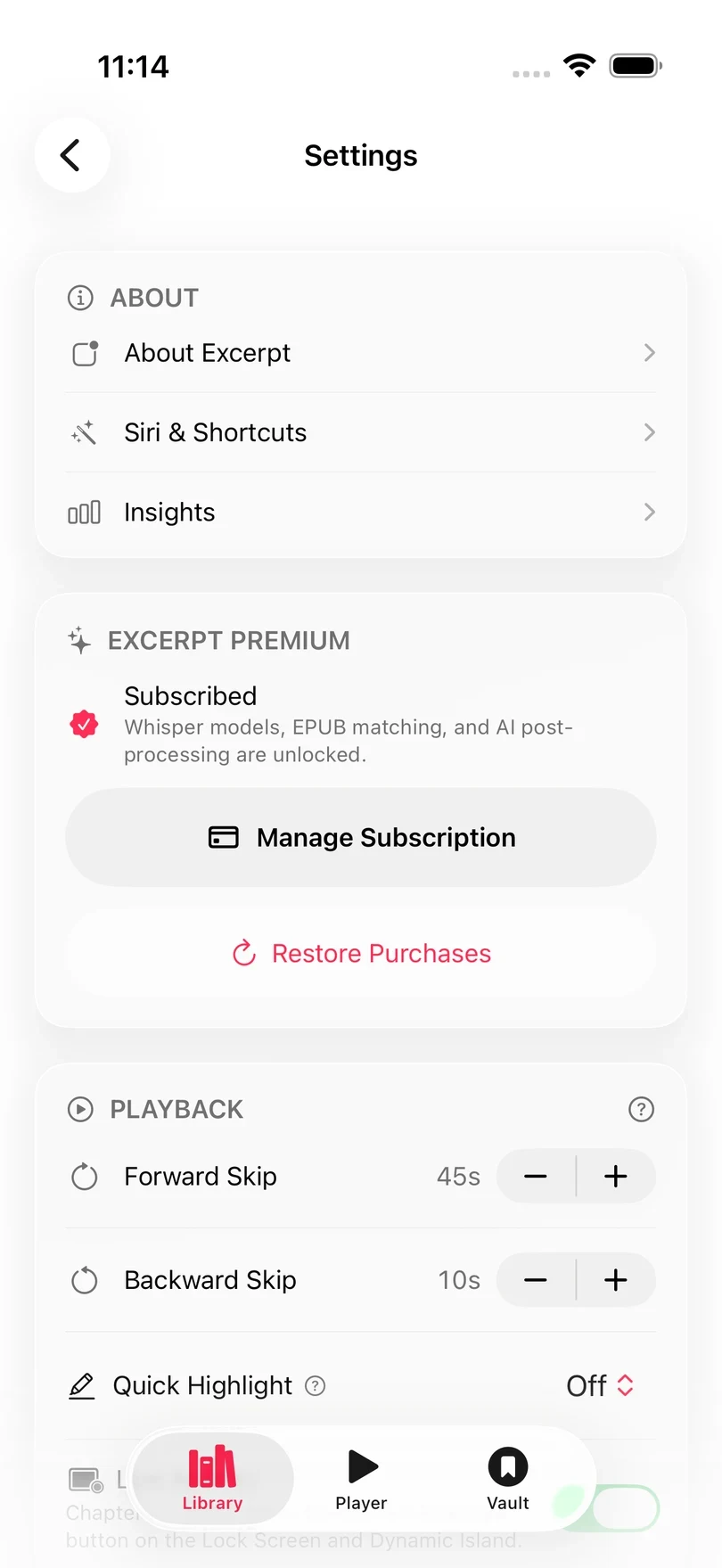
- Open Library and tap Settings.
- In Excerpt Premium, tap Subscribe.
- Tap the Subscribe button, which shows your price, and confirm with the App Store.
If you stop subscribing
You can cancel at any time in your App Store subscription settings. Nothing you have made is locked when the subscription ends.
| What stays | What changes |
|---|---|
| Every highlight, export, and backup | New highlights are transcribed with Apple Speech again |
| The books you have linked, which keep their exact text and Read Along | You cannot link an ebook to another book |
| Every free feature, including the automation | AI Post-Processing is turned off |
Restore, manage, or cancel
- Restore Purchases checks your Apple Account for an existing subscription. Use it on a new device or after reinstalling Excerpt.
- Manage Subscription opens Apple’s subscription settings, where you can cancel or change how you pay. It reads Update Payment Method instead if a renewal payment has failed.
- The line under your status says when Premium renews, or when your access ends if you have turned off auto-renew.
Restoring a purchase only restores Premium, not your library. To bring back your books and highlights, see Back Up and Restore Your Library.
Excerpt Premium
One yearly subscription, currently $12.99 a year. Get Excerpt Premium opens the Premium sheet in the app, so it needs Excerpt installed on the device you are reading this on.